This is the real tool building a real part: 22 steps, sped up. Nothing in it is drawn by hand.
CAD for free in your browser, for parts you 3D print.
Design a part, choose which of its sizes other people may change, and share it as a page where anyone can set those sizes and download a file that fits.
Try it nowThere's nothing to install, and you don't need an account to start.
A print file is a frozen shape.
Most 3D-print designs are shared as an STL file. An STL is only the outside skin of the part. It does not know what a hole is, or how thick a wall is.
So when a shelf is 5 mm thicker than the bracket was made for, the file cannot be fixed. Stretch it and the screw holes stretch with it. The person either asks the designer for a new file or learns a CAD program.
Boolean3D keeps the part as its steps and its sizes. Change a size and the part is made again, with the holes still round and the walls still the right thickness.
How it works today
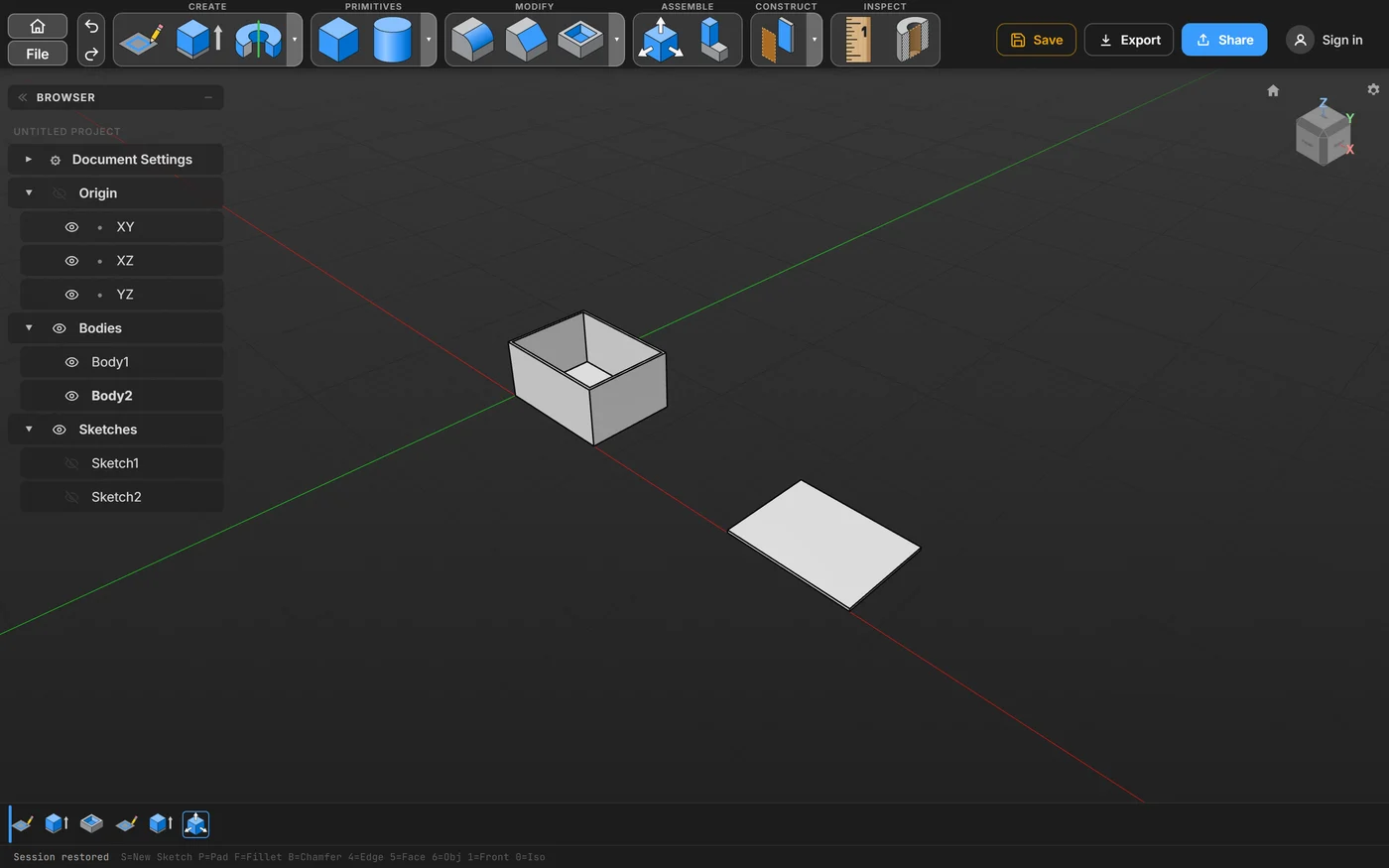
Design the part
Draw a sketch with dimensions, then turn it into a solid. Every step stays in a row along the bottom; change an early one and the later ones follow.
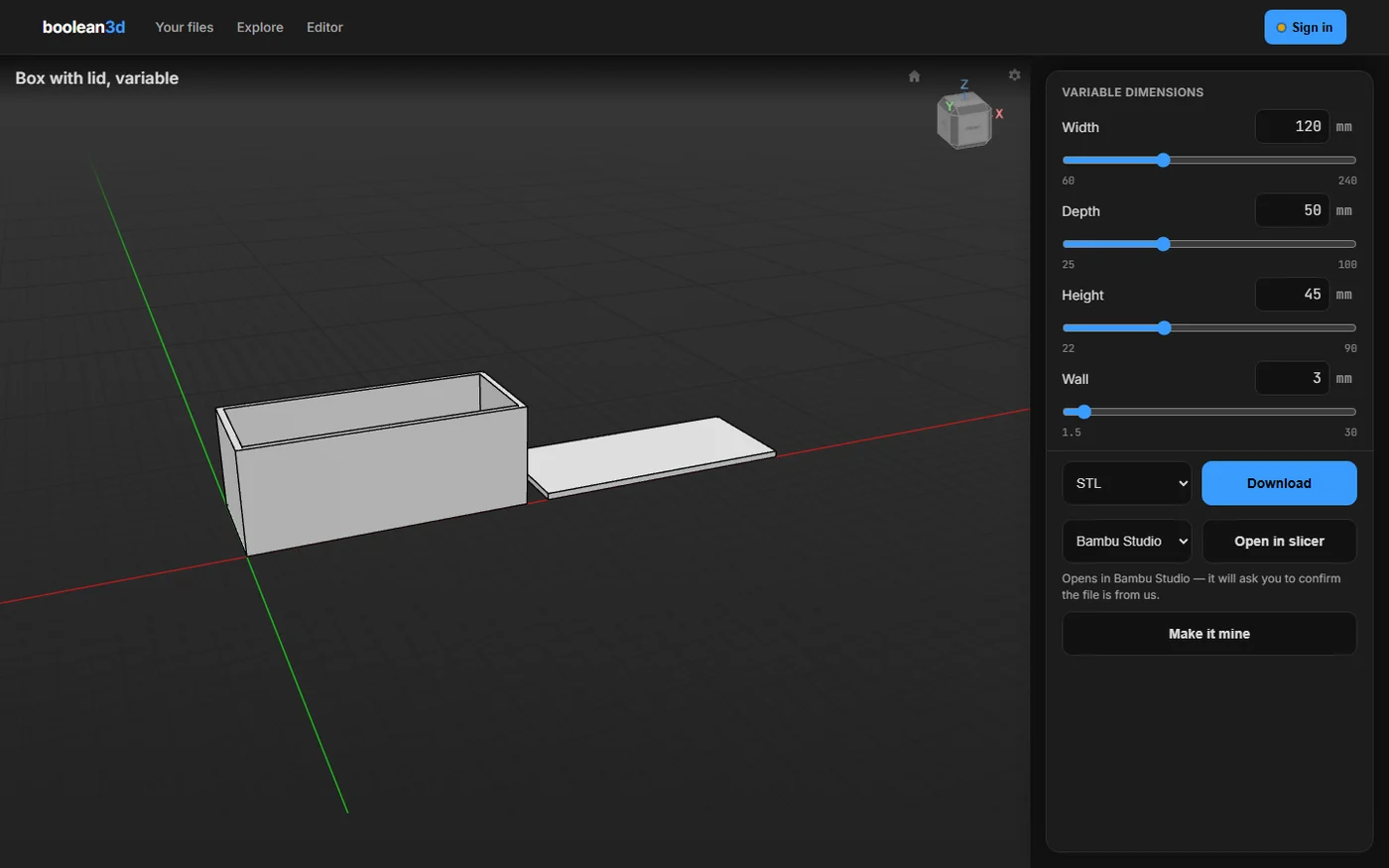
Share it as a page
Pick the sizes other people may change, and the smallest and largest value for each. Send a private link, or publish the part on the public shelf under your name.
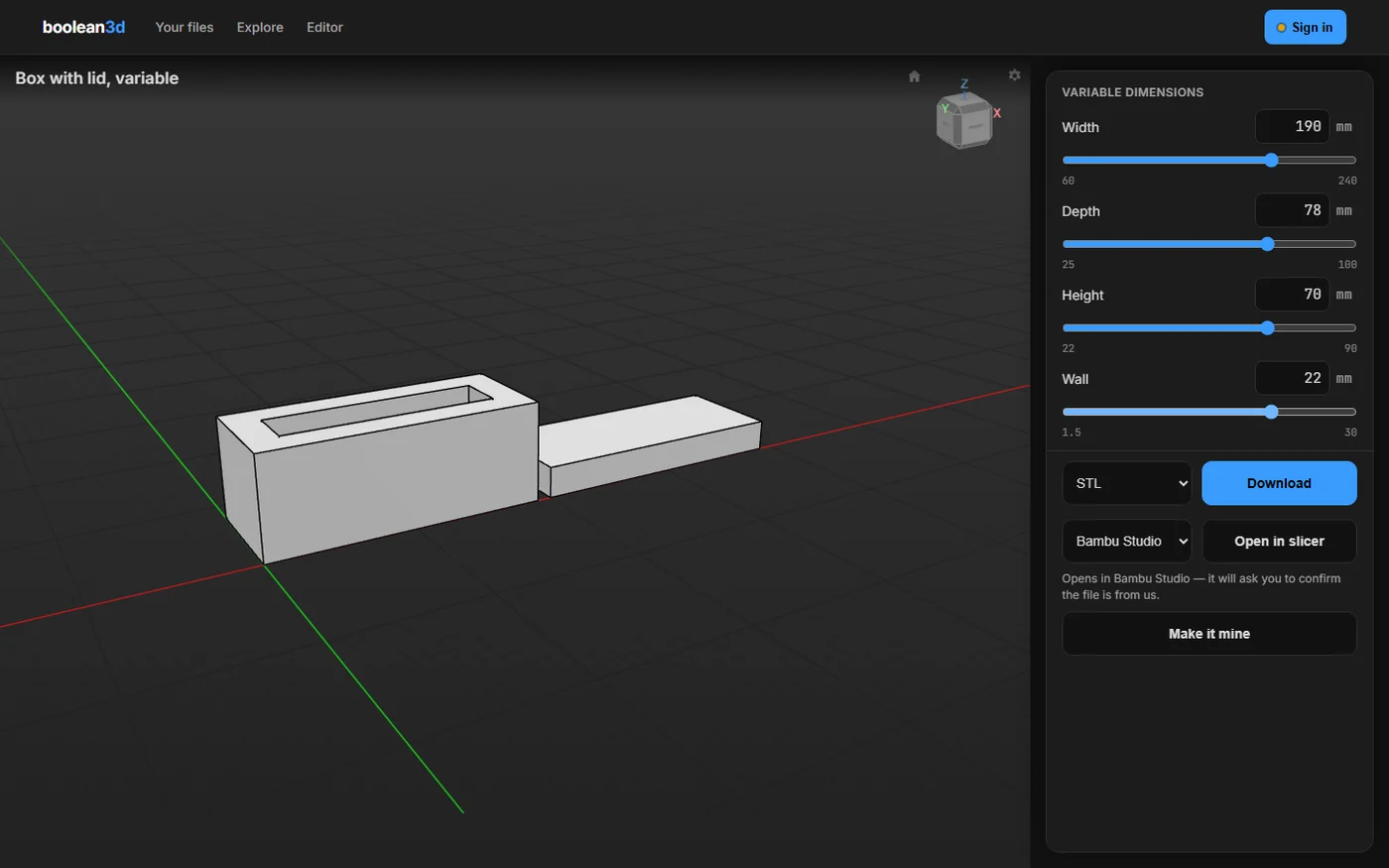
Anyone sets the sizes
A visitor moves a slider and the part is made again in their own browser, with no account. They download it as STL, 3MF or STEP, or open it in their slicer.
What is in the tool
- Sketches with dimensions. Draw lines, arcs, circles, rectangles, slots, polygons and splines, and use lengths and angles to hold the drawing in shape.
- Solids from sketches. Extrude, revolve, sweep and loft a sketch, and add holes and text.
- Ready-made shapes. Start from a box, cylinder, sphere or cone.
- Finishing. Round or chamfer an edge, hollow a part, split it, pattern it or mirror it.
- Assemblies. Bring saved parts together, join them with hinges and sliders, add standard bolts from a list, and check that everything fits.
- Drawings. Place views of a part at a standard scale, dimension them, and export the drawing as PDF, DXF or SVG.
- Sheet metal. Fold walls up from a flat sheet of real stock, and export the flat pattern as a DXF.
- Checking. Measure a distance, or cut the view open to see inside.
- Files in. Open STEP and STL files.
- Files out. Export STEP, STL and 3MF from the tool or from a shared page.
You need a laptop or desktop to design. Shared part pages work on a phone.
What comes next
These aren't in the tool yet.
- Buy the part, not the file. A Buy button on the shared page will let a print farm make the part in the sizes the buyer chose and ship it, and the designer gets paid.
- Sheet parts made for you. The same idea for laser-cut and bent sheet-metal parts.
The deal
The tool is free
You can design, save and export your files without paying anything.
We earn when parts are made
Our money comes from parts ordered as prints and, later, from people who sell their parts here. It doesn't come from the tool.
Built on open software
The open-source projects the tool is built on are named on the credits page.
Try it with a starter part.
Three parts are ready to open: a phone stand, a cable clip and a box with a lid.
Try it now